The Map Editor
Beyond the galaxies Nova generates for you, the map editor lets you design your own and save them for future games. It is available on both web and mobile — on the web it is the Map editor button in the enrolment menu; on mobile it is the Map Editor tab on the home screen. Use it to craft a perfectly balanced tournament map, recreate a favourite layout, or build a deliberately lopsided scenario.
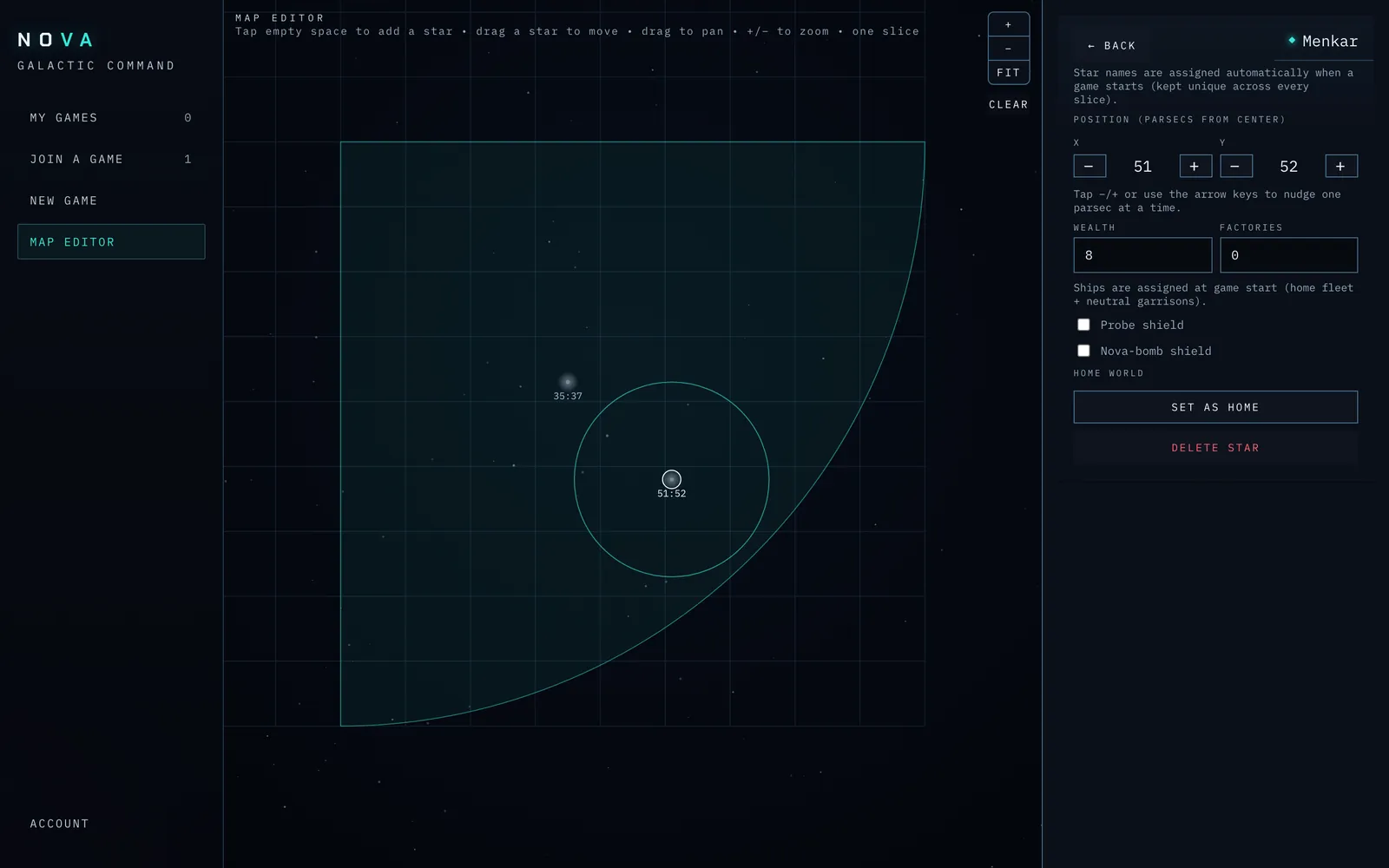
Screenshot: the map editor — the editing canvas on the left, the tools and star-properties panel on the right.
Two ways to design a map
At the top of the editor you choose a mode:
- Pie slice (default) — you design one wedge of the galaxy, and the editor rotates an exact copy of it into place for every commander. This guarantees perfect fairness: every player's region is identical. It is the right choice for competitive and tournament maps.
- Full map — you place and edit every star individually and assign one home world per commander. Use this for asymmetric or hand-tuned scenarios where you want differences.
You also set the number of players the map is built for. A saved map can only be used to start a game with exactly that many commanders.
The tools
- Place — click (web) or tap (mobile) an empty spot on the canvas to add a star there. A newly placed star starts with a random wealth, so a hand-built map already has varied economies; you can adjust it afterwards.
- Select — click or tap a star to select it (its properties open beside the canvas); drag it to move it.
- Link (full-map mode) — switch to the Link tool, then click two stars to join them with a jump gate. The first click arms a star (it gets a ring); the second creates the gate. Authored gates are listed in the Jump gates panel, where you can set each gate's speed (a preset multiplier) or remove it. When the map is used to start a game, every link becomes a real jump gate between the corresponding stars (see the Jump Gates chapter). The Link tool is offered in full-map mode only — pie-slice gate authoring is not yet supported.
- Clear map — remove all stars and start over.
The canvas always fits the area you are editing — there is no panning or zooming to manage. In pie-slice mode it shows just the single wedge you are designing, zoomed in, so you can place stars precisely; the editor rotates that wedge into every other region when the map is used to start a game. In full-map mode it frames the whole galaxy disk.
Editing a star
Select a star to edit its properties beside the canvas:
- Name — in full-map mode, type one or use the button to drop in a random unused star name. In pie-slice mode the name field is hidden on purpose: because the wedge is copied into every region, Nova assigns a fresh, unique name to every star automatically when the game starts, so no two stars ever share a name (an earlier version duplicated names across slices — that is fixed).
- Wealth, Ships, Factories — its starting economy and garrison.
- Probe shield / Nova shield — toggles to start the star pre-shielded.
- Home world — mark the star as a commander's home:
- In pie-slice mode, the slice has a single home (it becomes each commander's home in their rotated copy).
- In full-map mode, choose Neutral or a specific player (P1, P2, …).
- Delete — remove the star.
A star with no home assignment is a neutral star that any commander can capture once the game begins.
The random overlay
Both modes offer a random overlay — a layer of extra neutral stars scattered across the map to add variety on top of your designed layout (the same idea as the Sym + scatter generated map). You control:
- Count — how many extra stars,
- Minimum spacing — how far apart they must be,
- Wealth range and Ship range — the random values each overlay star can take.
Use Re-randomize overlay to roll a fresh scatter until you like it.
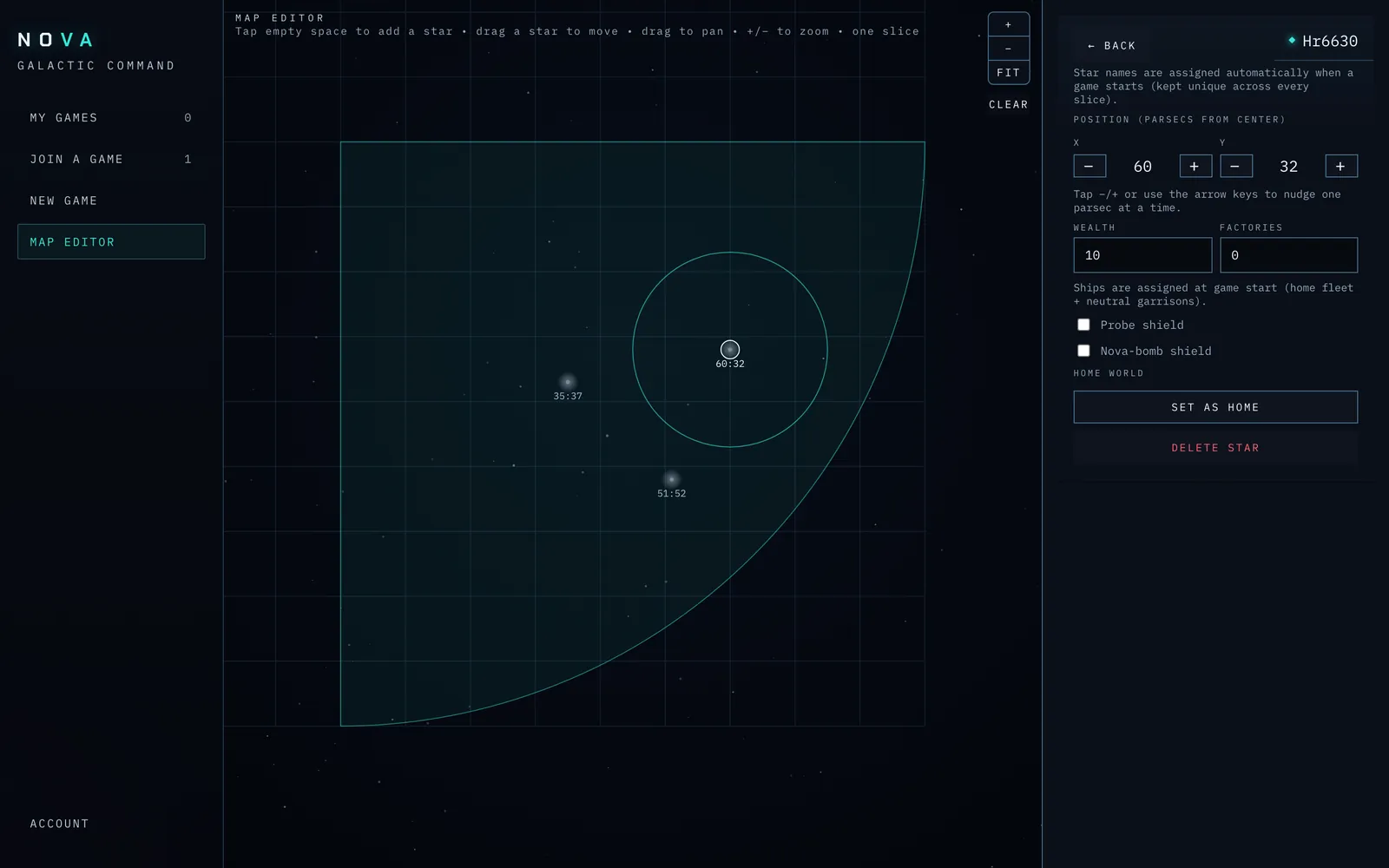
Screenshot: the star-properties editor (name, wealth, ships, factories, shields, home assignment) and the random-overlay panel.
Saving and exporting
When your map is ready:
- Give it a name.
- Make sure every player has a home world assigned — the editor confirms "Homes assigned" when you are ready, or prompts you to finish assigning homes if not.
- Save the map to Nova, where it becomes available under the Load a saved map option on the New game form (web and mobile).
On the web you can also Download JSON to keep a copy of the design as a file on your computer (this export is web-only).
To revisit an earlier design, use the Load saved map list to open one back into the editor. A pie-slice map reopens as a single editable wedge — exactly as you designed it — so you can keep refining one slice rather than the fully expanded galaxy.
Tip: Build symmetric tournament maps in pie-slice mode. Designing one wedge and letting Nova rotate it is far faster than hand-placing every star, and it is the only way to guarantee the regions are truly identical.
Using a saved map in a game
On the New game form (web or mobile), once you have at least one saved map, the Map section gains a two-way toggle: Generate a map or Load a saved map. Switch to Load a saved map and pick your design from the list; the generated-map options (layout and stars per commander) step aside. Because a saved map fixes the home worlds, the number of commanders is set by the map — you don't choose it, and there's no mismatch to resolve. (Pick a map to continue; until you do, the form prompts you to choose one.)
When you deploy, Nova lays out the galaxy exactly as you designed it — including each star's wealth, ships, factories, and shields — and assigns the home worlds to your commanders.
Current limitations
The map editor is still young and a couple of rough edges remain:
- No in-editor delete for saved maps yet. You can save and load maps, but removing an old saved map from the list is not yet exposed in the interface.
- Export is web-only and one-way. On the web you can Download JSON to keep a design as a file, but there is no "import from file" button to bring one back in, and the mobile editor has no download.
These are conveniences, not blockers — the core workflow of design -> save -> start a game on it works end to end on both web and mobile today.